Thursday, 19 March 2015

Shoot 3: Final Edits


Third Shoot


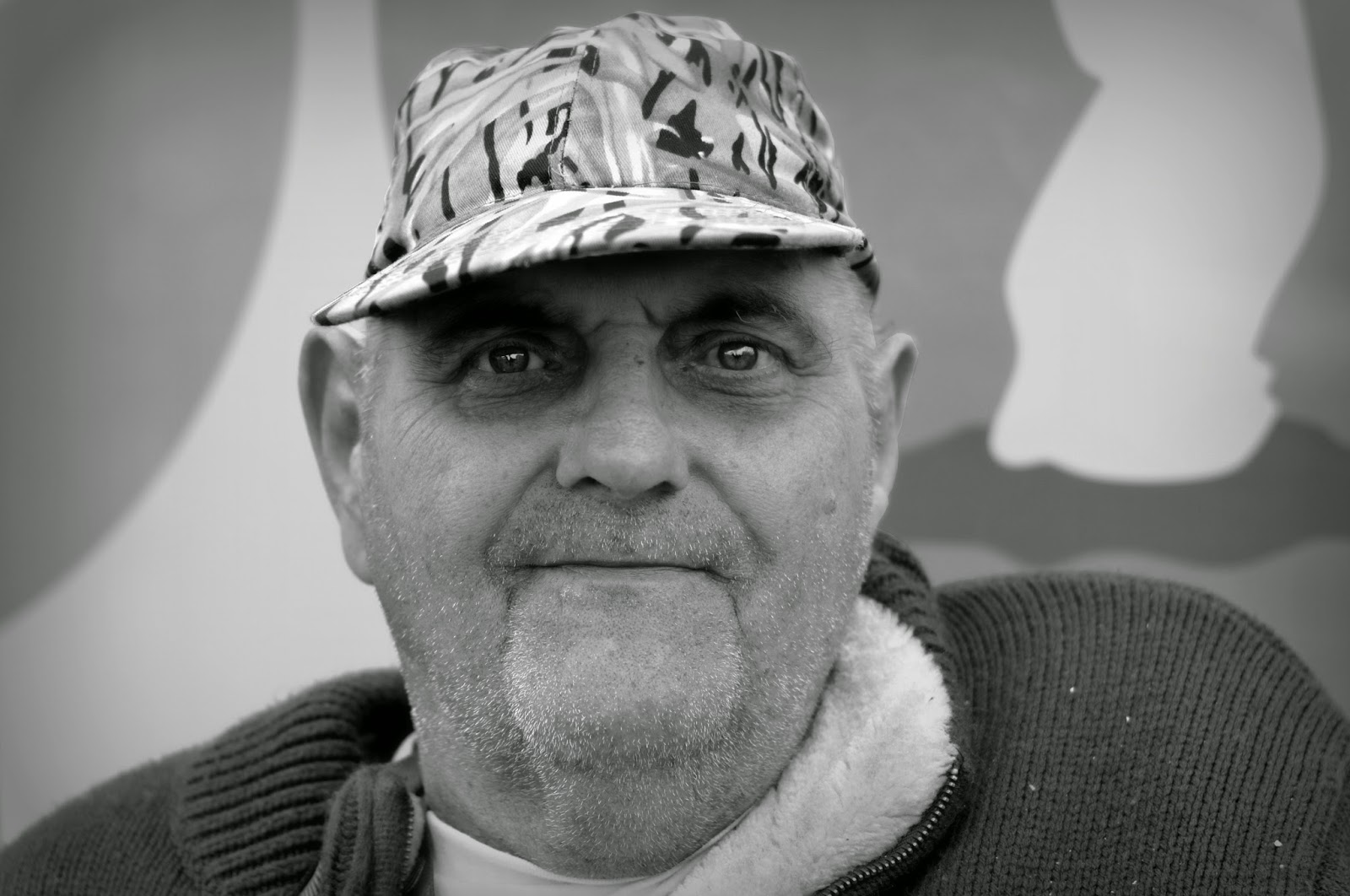
 I am very pleased with the outcome of my third shoot. As I was walking the busy highstreet I came across a man who was collecting donations for the Royal Bournemouth Hospital. It was apparent to me that he was missing his lower limbs, and also had a bandage on his right hand, with a couple of fingers missing. After donating some money I asked him if I was able to take a picture of him, and he seemed more than happy for me to. 
It is evident in this picture here what situation this poor man is in. As we can see from this image he is located in a busy town. In the reflection in the window behind him we can see a Taxi, we can see people, we can see how busy the life in Bournemouth actually is, and we can see how he watches this pass by on a daily basis. 
Both these images were taken at an aperture opening of f/5.6 and a shutter speed of 1/110th of a second. 

The Edited Images: 

This is my first edit for this shoot. I cropped these images in Picasa 3,  at the same ratio the image was in before the crop. I adjusted the brightness and the shadows to make the picture a little more vibrant. In GIMP I desaturated the image and added a luminance effect. I also added an extra transparent layer where I used the paint brush tool to create darker circles around his eyes. I also added a second layer where I traced the white in his eyes and made them stand out more by making them more obvious. 


As well as cropping this image in Picasa 3, I also straightened it as it was previously askew. Like I did with my previous images, I boosted the shadows and then I desaturated the colours in GIMP and added the luminance effect. 


Here is the contact sheet for my shoot:   


I believe I have used Ibrahim's technique rather well in these shoots. I have done well in capturing my subject's emotion, and I am please with the result. In this contact sheet I used images DSC_0051 and DSC_0054. 

Wednesday, 18 March 2015

Third Artist: Yaman Ibrahim

Untitled, Yaman Ibrahim, All Rights Reserved
Yaman Ibrahim is a full time Malaysian photographer based in Kuala Lumpur. Working as an art teacher and Senior Manager in Multimedia allowed him to have an eye for appreciating the finer things in life  that most overlook. 
He has gained awards both on a local and an international level, including Maybank Photographer of The Year 2013, Wedding Photographer of The Year 2009 (winning picture was exhibited at The New Forest Gallery, Lyndhurst.)


I adore the way Ibrahim captures emotion in this picture. It was this image that made me want to use him as a third influence for my Exam Unit. The fact that the subject is looking away from the camera with seemingly teary eyes adds more meaning to the photo - is there something behind the photographer that we can't see? What is causing him to be this upset? 
I want produce emotional portraits that evoke emotion from those who view my image, creating powerful portraits. I feel that using his technique will allow me to do just that.  

Thursday, 12 March 2015

Shoot 2: Final Edits


Second Shoot

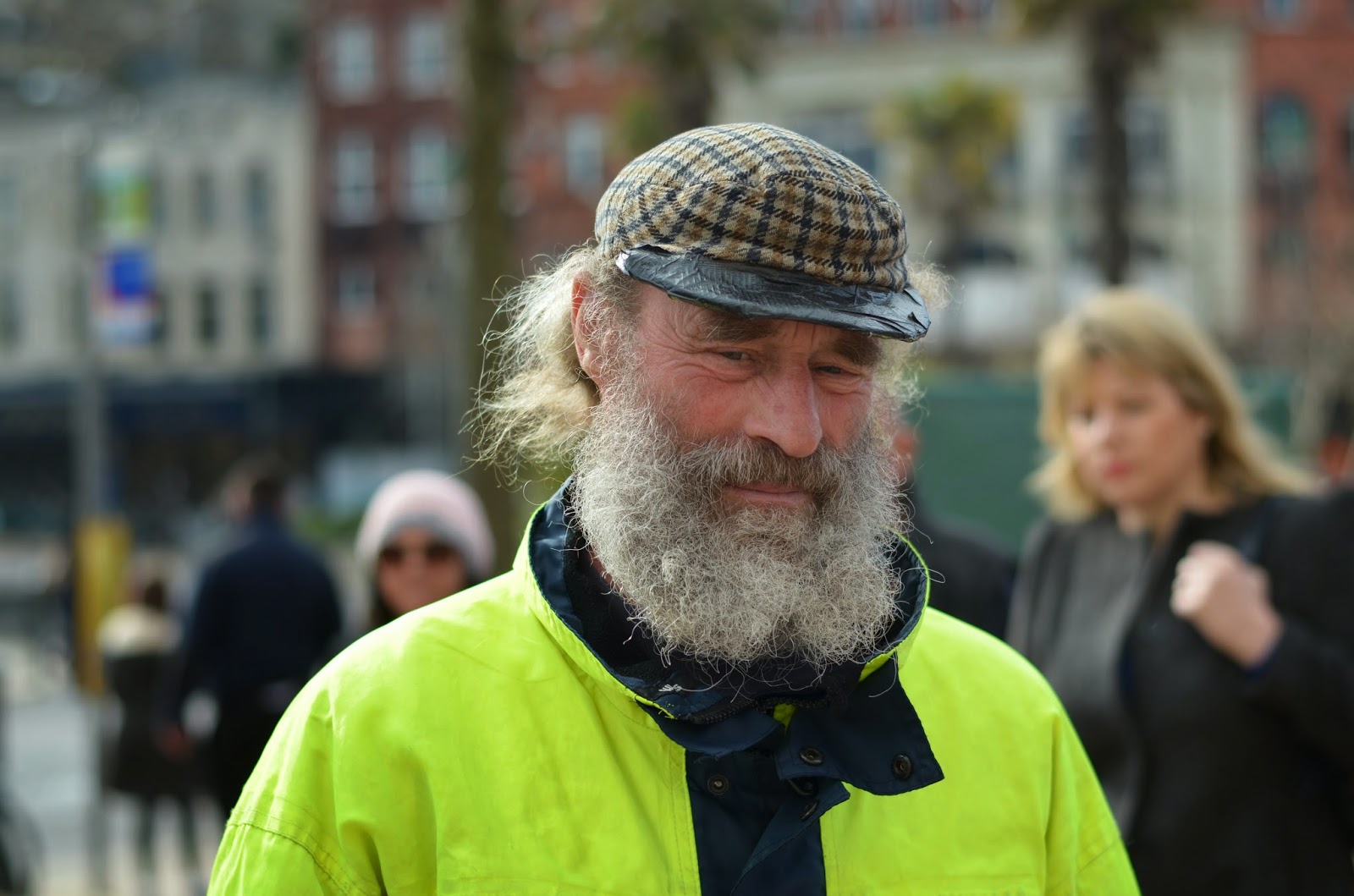
 My second shoot proved rather successful. I came across a man who was picking up rubbish, who had very interesting facial features, and seemed quite melancholic. I instantly knew that I was going to capture a good image, and he was the perfect subject for it. Although I tried to engage in conversation with him, he never spoke a word - he just nodded when I asked for a picture, and that is as much interaction as I had with him. I do wish I knew his name, because I feel it would have given me a better connection with him. 
In terms of my second image, I liked this one the most out of the others I took because of the people who walked into the shot. When I took the image I thought to myself "great, people just walked into my shot, that's going to ruin it!" It wasn't until I got home and looked at the images properly that I change my mind completely. I had a great idea as to how I was going to edit the people and make my image even better than it already is.
These images were both taken at an aperture of f/4 and a shutter speed of 1/250th of a second.


The edited images: 

I am delighted with the outcome of my images. I think they are very strong and very emotive. 
What I like most about this edit is the crop, because although we're instantly drawn to the subject's face, we can see a woman in the background who appears to be staring at him. This can be interpreted as if she was judging him, or pitying him. The crop also emphasised the duct tape that is holding his hat together, which reveals a little bit more about him. Despite not saying a single word to me, I can feel a connection and I feel more understanding towards him. 

Here is a cropped version of the edited image. I dislike the face in the background of the first one (the one with the sunglasses) and so I tried to crop that woman out, yet keeping the other woman in - because I feel she gives context to the image. I do however dislike this crop as it removes part of his hat and his beard. Therefore, I'm going to keep the original edit. 

Both these images were cropped in Picasa 3, and the brightness and shadows were altered using a toggle. I then used GIMP to convert the images to greyscale and add the Luminosity effect. 
However, I further edited my second image by adding motion blur to the people who were walking in front of the camera. This means that not only are we not focusing on them and are drawn more to the man, but it also changes the atmosphere of the image completely. They say nowadays thanks to technology, the world seems a lot faster. The way I see it, the people who have walked into frame are busy people, have work to do, people to see... But then there's my subject, who, judging by the fact he was picking up rubbish and was wearing a hat held together by duct tape, isn't very fortunate in the professional department. It's as if he is static, whilst the world is busy speeding around him.


Here is the contact sheet for my shoot: 

I believe I have used Benoit Courti's techniques rather well in these shoots. More so in the first shot than in the second one, I feel as though I got quite intimate with my subject - like Courti does so well. Like his images, my shots raise questions such as who this man is, and what is his story? I am going to use Courti's technique of intimacy in more of my images, because I rather like the outcome of it. 

Second Artist: Benoit Courti

Benoit Courti is a French photographer living in Paris.
Fascinated by photography since his childhood, he first embraced a career as a music composer before becoming a professional portrait photographer in 2010. 
I chose Courti as my third influence because the moment I saw his work, I loved it. I very much like his technique, and how he can make something so simple look so interesting, for example the picture of a man throwing some dice - all he is doing is throwing dice, but it raises many questions... Is he a gambler? Is he a magician? What number will the dice show? Will that decide someone's fate? 


"Gambler" © Benoit Courti 2015. All rights reserved. 
I decided to use his technique of getting really up-close with his subjects. I feel that when one is really close to one's subject, it is more intimate, and more emotion is drawn out from the viewer of the image. 
I am going to use his techniques of getting intimate with his subjects for my own photography. I want my images to be powerful, and that is what I get from viewing Courti's images. There is a better example of this pictured below. 
Untitled, Benoit Courti, All rights reserved.


I managed to contact Courti, I asked him a few questions about his image 'Gambler'. I asked him what his intention was with this photograph, and he said he was "trying out a new technique" with his photography. He had just bought a new lens, and was having some fun by trying it out. When I asked him what the image made him feel like as the photographer, he said it "fulfilled my expectations", and that he is pleased with this photograph. 
Below is the email he replied with (you may have to click to enlarge):

Shoot 1: Final Edits